
eSIM Explained: What It Is, How It Works & What an eSIM Card Does (2026)
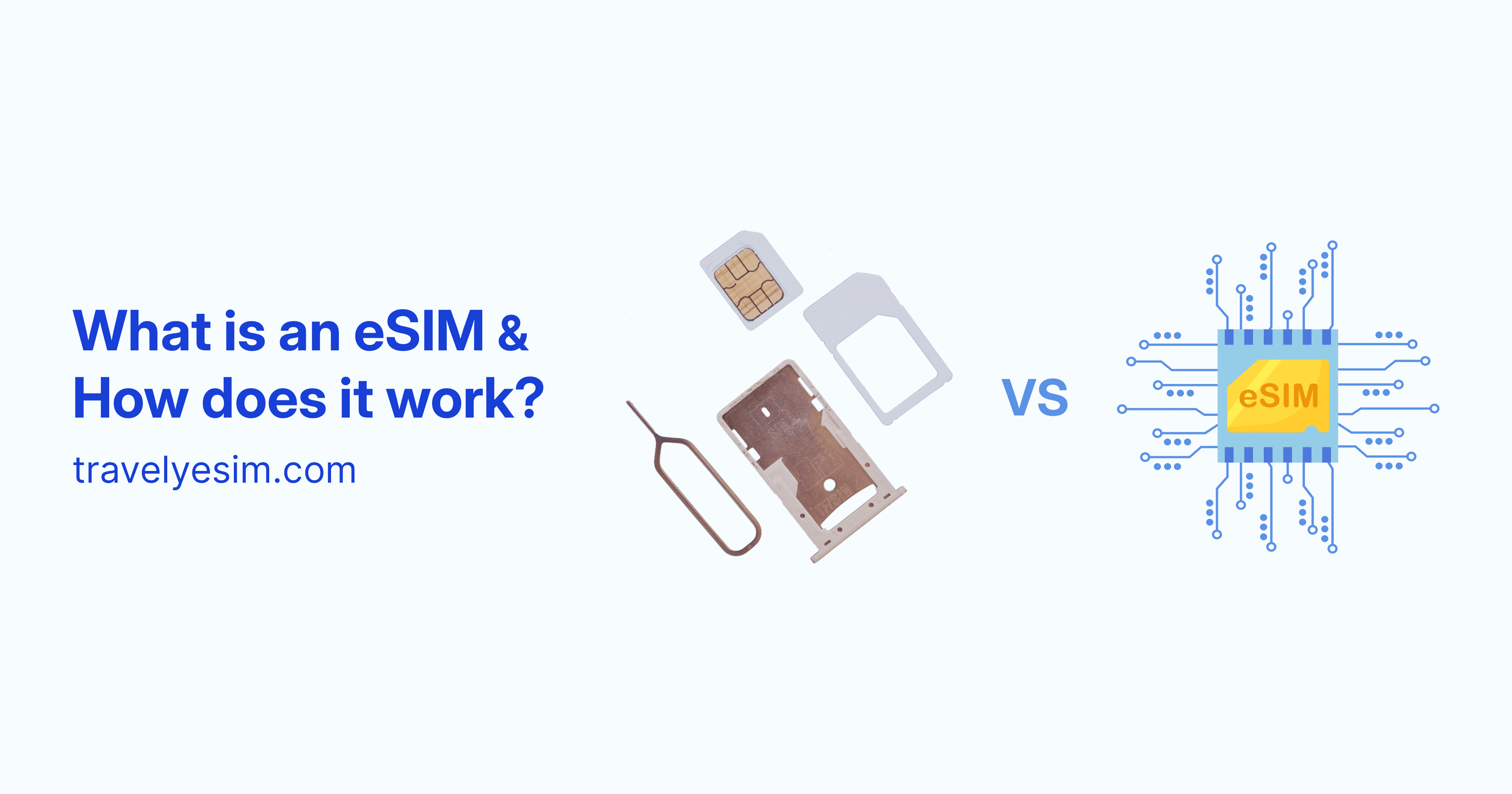
If you've ever swapped a SIM card at an airport, hunted for a local data plan after landing, or paid a shocking roaming bill when you got home, there's a smarter way. It's called an eSIM, and it's changing how people stay connected when they travel. The eSIM is the next generation of mobile connectivity, and it eliminates the physical SIM card entirely.
This guide covers everything: what an eSIM is, what eSIM means, how the technology actually works inside your phone, what an eSIM card does, and why millions of travelers are switching. Whether you've heard the term once or you're about to buy your first eSIM plan, you're in the right place.
What Is an eSIM? (Definition and Meaning)
An eSIM - short for embedded SIM or electronic SIM - is a SIM card that is permanently built into your phone or device. Unlike a traditional plastic SIM card that you physically insert and remove, an eSIM is soldered directly onto the device's motherboard and cannot be taken out.
The meaning of eSIM comes down to one core idea: your carrier plan lives digitally on a chip inside your device, not on a removable card. You activate it remotely, manage it through your phone's settings, and switch plans without ever touching a physical SIM.
eSIM in simple terms
Think of an eSIM as a blank, rewritable SIM card that's already inside your phone. Instead of visiting a store to get a new SIM when you travel, you download a carrier profile directly to the chip, usually in under two minutes.
What Does eSIM Stand For?
eSIM stands for embedded Subscriber Identity Module. The "e" prefix distinguishes it from a standard SIM (Subscriber Identity Module), which refers to the removable plastic card.
The eSIM standard was developed by the GSMA (the global industry body for mobile networks) and introduced commercially around 2016–2017. It is now supported by virtually all flagship smartphones, smartwatches, tablets, and laptops released since 2018.
How Does an eSIM Work? (Step by Step)
eSIM technology works by storing your carrier's network profile on an embedded chip inside your device. When you purchase a plan from an eSIM provider, the carrier securely transmits your profile over the internet and installs it directly onto that chip.
Here's exactly how the process works from start to finish:
Step 1 - The eSIM chip is already in your device
Modern phones ship with a built-in eSIM chip (technically called an eUICC - embedded Universal Integrated Circuit Card). This chip works like a blank SIM card that can be reprogrammed wirelessly, over and over.
Step 2 - You purchase a data plan
You buy a plan from an eSIM provider online or through an app. There's no physical product to ship. The provider generates a unique eSIM profile assigned to your account.
Step 3 - You receive a QR code or activation code
The provider sends you a QR code (or a manual activation code) by email or through their app. This QR code contains the carrier's profile data, securely encrypted.
Step 4 - Your phone downloads the profile
You scan the QR code in your phone's settings. The device contacts the carrier's SM-DP+ server (the eSIM delivery server) and downloads your profile directly onto the embedded chip. The entire process typically takes 30–60 seconds.
Step 5 - Your phone connects to the network
Once downloaded, your eSIM profile activates and your phone connects to the carrier's local network. For travel eSIMs, this usually means connecting to the best available local network in your destination, automatically.
Switching between eSIM profiles
One of the most useful aspects of eSIM technology is that you can store multiple profiles on a single device simultaneously. Switching between them takes a few taps in your settings, you don't need to swap any hardware. This makes eSIMs ideal for people who maintain separate personal and work numbers, or who travel frequently across different regions.
eSIM Technology: How the Chip Works
The eSIM chip is based on a specification called eUICC (embedded Universal Integrated Circuit Card), standardized by the GSMA. Here's what makes it different from a regular SIM at the hardware level:
- Reprogrammable (rewritable): A traditional SIM is locked to one carrier profile. The eSIM chip can be rewritten with new profiles wirelessly, as many times as needed.
- Secure element: The chip includes a tamper-resistant security environment that stores and protects your carrier credentials.
- Remote provisioning: Profiles are delivered via a standardized protocol (SGP.02 for consumer eSIMs) using a server infrastructure called SM-DP+ (Subscription Manager Data Preparation Plus).
- Multi-profile storage: Depending on the device, the eSIM chip can hold anywhere from 5 to 20+ profiles simultaneously, though only one (or two on dual-SIM devices) is active at a time.
Is eSIM Secure?
A common question is whether downloading a SIM profile over the internet is safe. The answer is yes. eSIM technology was designed with strong security from the ground up.
- Encrypted delivery: profiles are transmitted using PKI (public key infrastructure) encryption between the provider's SM-DP+ server and your device's eUICC chip.
- Chip-level protection: the eUICC chip is physically tamper-resistant. Profiles can't be extracted or copied.
- Remote lock: if your device is lost or stolen, the eSIM profile can be remotely disabled by the carrier.
- No physical interception: unlike a SIM card that can be stolen and used in another device, an eSIM profile is bound to your specific eUICC.
The GSMA (the global mobile industry body) defines and enforces the security standards that all certified eSIM providers must follow.
What is an eSIM profile?
A profile is a digital package of carrier credentials - network authentication keys, an IMSI (subscriber identity), and data plan settings - that gets securely downloaded onto the eUICC chip. When you buy an eSIM plan from Travely or any other provider, what you're actually receiving is a profile.
What Is an eSIM Card?
The phrase "eSIM card" is often used interchangeably with "eSIM," but technically there is no card involved. An eSIM is not a card at all, it's a chip embedded in the device's circuitry.
When people search for "eSIM card," they usually mean either:
- The eSIM profile (the digital plan you download from a carrier), or
- The eSIM chip itself (the hardware inside the phone)
So when you "buy an eSIM card" for travel, what you're actually purchasing is a digital profile that gets installed on the eSIM chip already inside your device.
eSIM vs. Physical SIM: Key Differences
| Feature | Physical SIM | eSIM |
|---|---|---|
| Form factor | Removable plastic card | Embedded chip built into the device (soldered in) |
| Activation | Requires visiting a store or inserting SIM | Activated digitally via QR code or app |
| Switching carriers | Requires a new physical SIM | Done remotely in settings |
| Multiple profiles | One SIM per slot | Can store multiple profiles on one chip |
| Risk of loss or damage | Can be lost, stolen or damaged physically | Permanent inside the device |
| Travel use | Requires a physical local SIM or expensive home carrier roaming | download a travel eSIM profile before you board |
| Setup speed | Minutes to hours (store visit) | Usually under 2 minutes |
| Availability | Universal | Most flagship phones since 2018 |
This flexibility makes eSIMs particularly useful for digital nomads, remote workers, and frequent flyers.
What does eSIM do for connectivity that a regular SIM can't?
The biggest practical advantage is instant switching. If you're in a country where your current plan has weak coverage, you can download a different profile and switch, all without leaving your hotel room. That kind of flexibility is simply impossible with a physical SIM card.
Does eSIM Work Without Internet After Activation?
Yes. Once an eSIM profile is downloaded and activated, it works exactly like a regular SIM card. You do not need an internet connection for the eSIM to function, it connects to the carrier's network directly through the embedded chip, just as a physical SIM would.
An internet connection (Wi-Fi or existing data) is only required during the profile download step. After that, the eSIM operates independently.
Why eSIM Is Ideal for Travelers
Traditional SIM cards have always been a hassle when traveling internationally: finding a local shop, dealing with language barriers, waiting for activation, and losing the swap in your pocket. eSIMs remove all of that friction.
Here's why eSIM connectivity is transforming travel:
- Avoid roaming charges: Connect to local networks at local rates, skipping the expensive daily fees from your home carrier. Since travel eSIM plans are prepaid, there's no risk of bill shock.
- Instant activation: Buy your plan from your couch, before you even pack. Your eSIM is ready the moment you land.
- Keep your home number active: Dual-SIM phones let you use your physical SIM for calls and texts while using your eSIM for data. No need to choose.
- No physical card to lose: Everything is stored securely inside your device.
- Regional and global coverage: Many eSIM providers offer plans covering multiple countries or entire continents under a single plan, ideal for multi-destination trips.
For digital nomads, frequent flyers, and anyone who travels more than once a year, eSIM connectivity represents a meaningful improvement in both convenience and cost.
What Is an eSIM for Travel?
A travel eSIM is an eSIM profile specifically designed for international use. Instead of being tied to a single carrier, travel eSIM plans use roaming agreements with local networks in each country to give you reliable data coverage without requiring a local SIM.
Travel eSIMs typically offer:
- Data-only connectivity (no voice or SMS in most cases, though some plans include it)
- Short-term validity: 7, 15, 30, or up to 180 days with Travely plans
- Country-specific or regional/global coverage
- Instant activation and transparent pricing
Providers like Travely eSIM offer plans covering 200+ countries, letting you manage everything from a single app rather than buying a new SIM at every destination.
How to Check if Your Device Supports eSIM?
Most flagship phones released since 2018 support eSIM technology, including the latest iPhones, Google Pixels, and Samsung Galaxy models.
Here’s how to check:
On iPhone:
- Go to Settings → Cellular → SIMs → Add eSIM (or "Add Cellular Plan")
- If the option exists, your device supports eSIM.
On Android:
- Go to Settings → Connections → SIM manager → eSIMs → Add eSIM (steps may vary slightly depending on your device or manufacturer)
- If the option appears, your device supports eSIM.
Universal method (any phone):
- Open your phone dialer
- Dial *#06#
- If your device shows an EID number (a long 32-digit code), it has an eSIM chip.
Some devices support eSIM in hardware but have it disabled by the carrier (common with carrier-locked phones). If you're unsure, check your carrier's website or contact them directly.
eSIM Compatibility: Which Devices Support eSIM?
eSIM is now standard across most flagship and mid-range devices:
- iPhone: iPhone XS and later (iPhone 14 and later in the US are eSIM-only, no SIM tray)
- Samsung Galaxy: S20 and later, Z Fold series, Z Flip series, including the Galaxy Z Trifold
- Google Pixel: Pixel 3 and later
- Other Android: Many flagship models from Motorola, Sony, OnePlus, and Huawei (varies by region)
- Tablets and laptops: iPad Pro, iPad Air, Microsoft Surface Pro X, and many Chromebooks
- Smartwatches: Apple Watch Series 3+, Samsung Galaxy Watch 4+, Google Pixel Watch
How to Set Up an eSIM (Step-by-Step)
Setting up an eSIM with Travely takes under five minutes:
- Check compatibility: confirm your device supports eSIM (see How to Check If My Device Supports eSIM)
- Choose your destination: browse plans for 200+ countries and regions
- Purchase your plan: checkout takes seconds, your QR code arrives immediately
- Install and activate your eSIM: see How to Activate an eSIM on iPhone
- Enable the eSIM plan when you arrive: toggle it on in Settings
Tip: Some eSIM plans activate the moment you scan them, while others activate only when your device connects to a supported network - just like Travely. Either way, you’ll be online as soon as you land.
eSIM Limitations and Considerations
While eSIM technology offers significant advantages, it's worth understanding a few limitations before switching:
- Not all carriers support eSIM: Coverage is excellent in North America, Europe, and major Asia-Pacific markets, but some regional carriers still require physical SIMs.
- Carrier-locked phones: If your device is locked to a specific carrier, it may restrict eSIM profiles from other providers.
- Travel eSIMs are typically data-only: Most travel eSIMs don't include voice calls or SMS, You'll typically use your physical SIM or VoIP apps (WhatsApp, FaceTime) for calls.
- Device transfers: Moving an eSIM profile to a new device is more involved than swapping a SIM card. Some profiles can only be transferred once, and the process varies by carrier. Some require re-purchase.
- Scanned QR codes are single-use: The QR code you receive to install an eSIM can generally only be scanned once. Keep it saved somewhere safe until after installation.
Despite these caveats, the advantages for travelers significantly outweigh the limitations in most real-world scenarios. The convenience, cost savings, and instant activation make eSIM the default choice for anyone who travels regularly.
The Future of eSIM Technology
eSIM adoption is accelerating fast. Apple made eSIM-only iPhones standard in the US starting with iPhone 14 in 2022. Samsung, Google, and other manufacturers are following the same path. Many new devices are shipping without SIM trays at all.
Beyond smartphones, eSIM is expanding into:
- Smartwatches and wearables: standalone connectivity without needing a paired phone
- Laptops and tablets: always-on cellular like Apple's M-series iPads
- IoT devices: Industrial sensors, smart meters, smart home devices and logistics trackers using eSIM for global connectivity
- Connected cars: Built-in eSIM for navigation, emergency services, and OTA updates
iSIM (integrated SIM), where the SIM function is integrated directly into the main processor, is the next evolution, taking eSIM even further. Qualcomm's Snapdragon chips already support iSIM natively.
For travelers, the trend means greater availability, more competition between providers, and consistently lower data costs over the next few years.
Frequently Asked Questions
What does eSIM stand for?
eSIM stands for embedded SIM, referring to the fact that the SIM chip is permanently embedded (soldered) into the device rather than being a removable card.
What does eSIM mean?
eSIM stands for embedded Subscriber Identity Module. The "e" indicates it is embedded in the device, unlike a traditional SIM card which is removable.
What does eSIM stand for?
eSIM stands for embedded SIM, where "SIM" itself stands for Subscriber Identity Module, the component that identifies your device to a mobile network.
How does an eSIM work?
An eSIM works by storing your carrier's network profile on a reprogrammable chip inside your device. You purchase a plan, receive a QR code, scan it in your settings, and your phone downloads the profile. After activation, it works exactly like a physical SIM.
What is an eSIM card?
"eSIM card" is a common term for an eSIM profile: the digital carrier plan you install on your device's embedded eSIM chip. There is no physical card involved; the "card" is purely digital.
What is an eSIM profile?
An eSIM profile is the digital package of carrier credentials - network keys, subscriber identity, and plan settings - that is downloaded onto your device's eUICC chip when you activate an eSIM plan.
Is an eSIM the same as a regular SIM?
They serve the same purpose: connecting your device to a mobile network, but an eSIM is built into the phone and works digitally. You don't physically insert it or swap it out; you download carrier plans instead.
Is an eSIM better than a physical SIM?
For most people, especially travelers, yes. eSIMs are faster to activate, impossible to lose, and let you switch plans or carriers without visiting a store. Physical SIMs still have advantages in regions with limited eSIM carrier support.
Can I use an eSIM and keep my regular number?
Yes. Most dual-SIM phones let you keep your physical SIM (with your home number) active while using a travel eSIM for data. You receive calls and SMS on your regular number while the eSIM handles internet connectivity.
Can I use both eSIM and a physical SIM at the same time?
Yes, if your device supports Dual SIM. Most modern iPhones and flagship Android phones support using an eSIM and a physical SIM simultaneously. Commonly used to keep a home number active while using a travel eSIM for data.
Does eSIM work without internet?
Yes. You only need an internet connection to download an eSIM profile. Once installed, the eSIM works on the mobile network independently without requiring any internet connection, just like a physical SIM card. You only need internet access during the initial setup.
What is an eSIM for travel?
A travel eSIM is a digital carrier plan designed for international use. You download it before your trip, and it gives you local data rates in your destination country (or region) without the cost of roaming or the hassle of finding a local SIM.
How does an eSIM work for travel?
You purchase a travel eSIM plan from a provider like Travely before your trip. You receive a QR code, scan it in your phone's Settings, and the plan downloads to your device. When you land, your phone connects to local networks automatically, no airport SIM shop required.
Do I need to unlock my phone to use a travel eSIM?
If your phone was purchased directly from a carrier on a contract, it may be carrier-locked. A locked device can only use eSIM plans from that specific carrier. To use a travel eSIM like Travely, your phone must be unlocked. Contact your carrier to unlock it before traveling.
What is an eSIM for travel vs. a regular eSIM plan?
A travel eSIM is specifically designed for short-term international use , typically data-only, priced per destination or region, and activated on demand. A regular eSIM plan (from your domestic carrier) is your primary long-term plan. When traveling, you use both simultaneously: your regular plan on the physical SIM (or the regular eSIM) for calls, your travel eSIM for affordable local data.
How do I know if my phone supports eSIM?
Dial *#06# on your phone. If an EID number appears (a 32-digit code), your device has an eSIM chip. You can also check Settings → Cellular → Add eSIM on iPhone, or Settings → Connections → SIM Manager on Android.
Which iPhones support eSIM?
All iPhones from the XS onwards support eSIM. iPhone 14 and later models sold in the US are eSIM-only (no physical SIM tray). iPhone 15 and 16 continue this pattern in the US market.
Is eSIM technology secure?
Yes. eSIM profiles are transmitted using end-to-end encryption and stored inside a tamper-resistant chip. The security standards are defined and audited by the GSMA, the global mobile industry body.
Can eSIM be hacked or cloned?
eSIM profiles are significantly harder to clone than physical SIM cards. The embedded chip uses a tamper-resistant security element, and all profile transfers use encrypted, authenticated server protocols defined by the GSMA standard.
What is the difference between eSIM and e-SIM or e sim?
Nothing. "eSIM," "e-SIM," and "e sim" all refer to the same technology: the embedded SIM standard developed by the GSMA. "eSIM" is the most common and correct spelling.
What is the difference between eSIM and iSIM?
An eSIM is a dedicated chip soldered onto the device motherboard. An iSIM (integrated SIM) takes this further by integrating the SIM functionality directly into the main processor, saving space and power. iSIM is emerging in newer chipsets but both are "embedded" in the sense that neither is removable.
Ready to Try an eSIM for Your Next Trip?
With Travely eSIM, you can explore 200+ countries with instant connectivity, local data rates, and zero roaming fees, activated in minutes from your phone.
👉 Explore eSIM plans for your destination
Related guides:
- What is an eSIM?
- How Does an eSIM Work?
- How to Check if My Device Supports eSIM
- Which iPhones are eSIM compatible?
- How to Activate an eSIM on iPhone
- How to Remove an eSIM on iPhone
- Do Apps or Websites Block eSIM Users? What You Need to Know