
What Is Data Roaming? How It Works, What It Costs, and How to Avoid It
You land in a new country, flip off airplane mode, and within seconds your phone is pulling up maps, pinging with messages, and loading Instagram.
That's data roaming working exactly as designed. It's seamless. It's instant. And if you're not careful, it's shockingly expensive.
Most travelers only discover how roaming really works after they get home and see the bill. This guide explains everything upfront: what data roaming is, how it actually works behind the scenes, what it costs by region in 2026, and exactly how to avoid paying for it altogether.
What Is Data Roaming?
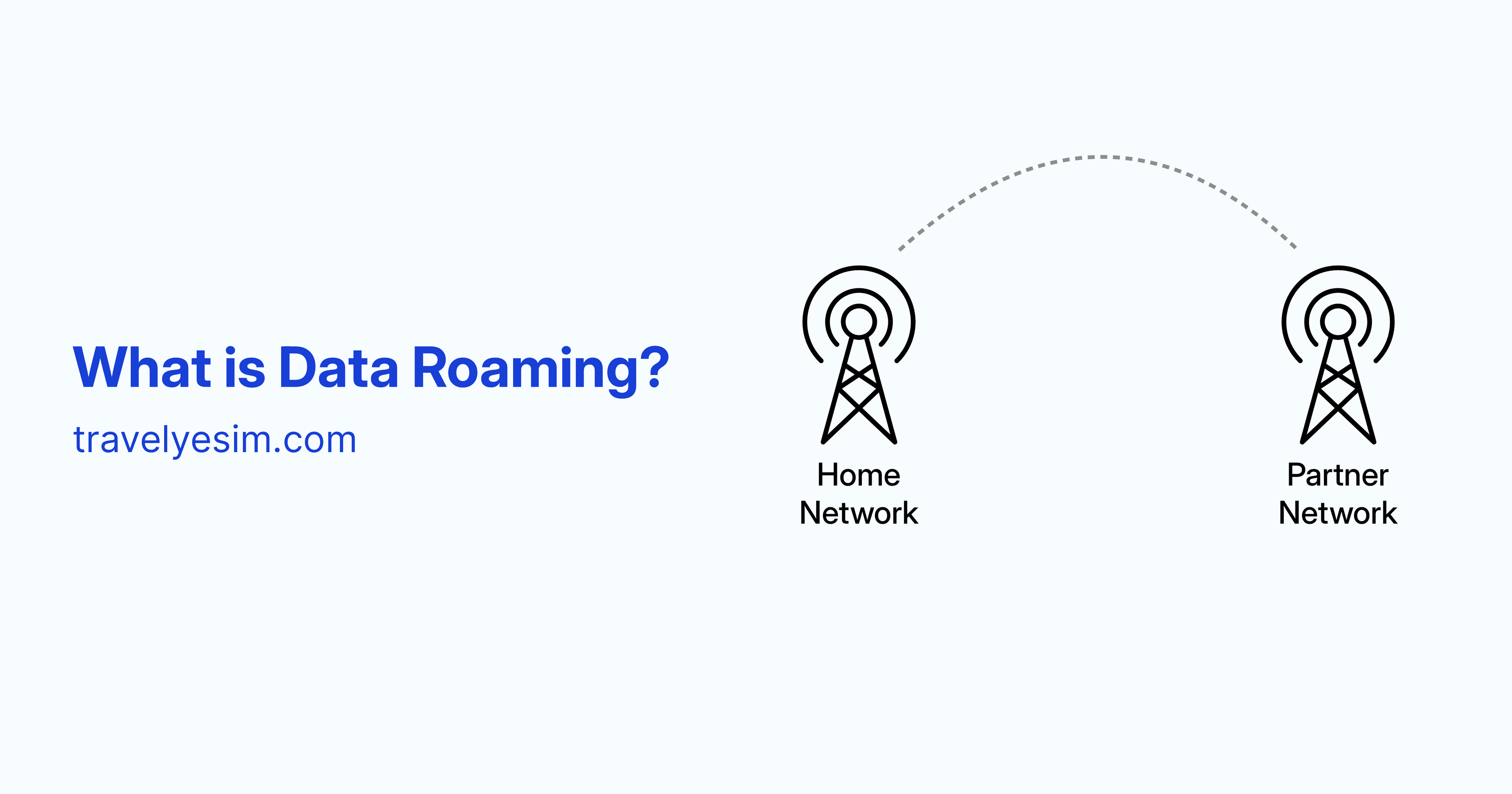
Data roaming is what happens when your phone connects to a foreign mobile network to access the internet, because your home carrier's network doesn't cover where you are.
It's simply your device borrowing another network so you can still use maps, emails, apps, and more. Your carrier has deals with foreign networks that allow your device to access their infrastructure.
So when you're a Verizon customer in Japan, or an O2 subscriber in Thailand, your phone doesn't just give up and go offline. It finds a local carrier that has an agreement with your provider and connects through them instead. You get a signal, but you're now using someone else's network, and that comes at a cost.
The word "roaming" comes from the early days of mobile networks: your phone was literally roaming outside its home territory, like a visitor paying a premium to use local infrastructure.
How Does Data Roaming Work? (Step by Step)
Most people think of roaming as a black box, your phone just works or it doesn't. Here's what's actually happening:
- Your phone searches for a network: The moment you land and turn off airplane mode, your phone scans for available mobile signals. It first looks for your home carrier, and when it can't find one, it looks for partner networks.
- A partner network is found: This works because carriers sign agreements with foreign networks that allow visitors from other countries to connect to their networks. Without these agreements, your phone would simply show "No Service."
- Your identity is verified: The foreign network checks with your home carrier to confirm you're an active subscriber and that roaming is enabled on your account. If it is, access is granted.
- You use data normally: You browse, navigate, message, stream — everything works as it does at home. The only difference is the network carrying your traffic.
- Usage is tracked and billed: The local network tracks how much data you use and shares that information with your home carrier. Your provider then calculates the cost based on your roaming plan or standard rates if you don't have one.
The problem is step five. If you don't have a roaming plan, or your plan's roaming rates weren't what you assumed, the bill can be very unpleasant.
Data Roaming vs. Mobile Data vs. Wi-Fi
People often use these three terms interchangeably. They mean very different things:
| Mobile Data | Data Roaming | Wi-Fi | |
|---|---|---|---|
| What it is | Cellular data on your home network | Cellular data on a foreign network | Internet via a router/hotspot |
| Where it works | Your home country / carrier coverage area | Abroad, through partner carriers | Anywhere with a Wi-Fi network |
| Cost | Included in your plan (usually) | Extra fees, often significant | Free or cheap |
| Reliability | High | Varies by destination | Varies by location |
| Speed | Full network speed | Often throttled | Varies |
| Requires setup | No | Needs to be enabled | Need password/login |
The key difference between mobile data and data roaming is simply location and price. Mobile data at home is usually cheap or bundled into your plan. Roaming abroad often comes with extra fees because a second provider is involved.
Wi-Fi bypasses the mobile network entirely, which is why connecting to hotel or café Wi-Fi abroad costs nothing (in terms of your phone bill, at least).
Domestic Roaming vs. International Roaming
Not all roaming happens across borders.
Domestic roaming: happens inside your home country when you're in a remote area your carrier doesn't cover. Your phone connects to a partner network's towers instead. Domestic roaming typically doesn't come with extra charges, so it's usually seamless and worry-free.
International roaming is what most travelers mean: using your phone in another country through a foreign carrier. International roaming can rack up significant fees for data, calls, and texts, often at much higher rates than you'd pay at home. This is the roaming worth understanding before every trip.
How Much Does Data Roaming Cost in 2026?
This is where things get real. Roaming costs vary dramatically depending on your carrier, your home country, and your destination. Here's what the landscape looks like in 2026:
European Union: Heavily Regulated
If you hold an EU SIM card, you benefit from the "Roam Like at Home" policy. EU residents can use their domestic mobile plan across all 27 EU countries plus Iceland, Liechtenstein, and Norway at no extra charge until at least 2032. The maximum surcharge carriers can apply is capped at €1.30 per GB in 2026 (dropping to €1 per GB in 2027), though most providers don't charge anything extra.
Travel outside the EU, however, and the protections disappear entirely.
United States
US carriers are among the most expensive for international roaming if you don't plan ahead:
- Verizon TravelPass: The standard rate in 2026 is $12/day for most countries and $6/day for Mexico and Canada. It includes 5GB of high-speed data per day, followed by unlimited 3G speeds.
- AT&T International Day Pass: This is also $12/day for the first line. Additional lines on the same account are charged $6/day. A notable benefit is the 10-day cap per billing cycle (maximum $120/month).
- T-Mobile: While basic international data is included in most plans, speeds are typically throttled to 256 Kbps (not strictly 2G, but similar performance). High-speed data passes are available starting at $5 for 512MB (1 day) or $35 for 5GB (10 days).
Without a day pass or international plan, pay-as-you-go roaming with US carriers can hit $2 per MB in some destinations, meaning a single photo upload could cost more than a coffee.
General Roaming Cost Benchmarks (2026)
| Type | Typical Range (2026) | Notes |
|---|---|---|
| Data roaming (no plan) | $2 per MB | Standard land rate for AT&T and Verizon; can reach $10+/MB in-flight or at sea. |
| Carrier day pass | $5–$12/day | T-Mobile offers $5 (512MB) or $10 (2GB) options; AT&T and Verizon charge $12/day for most countries. |
| Roaming data add-on | $35–$100 for a fixed data bundle | T-Mobile has a $35 (5GB/10 days) pass; Verizon offers a $100 (20GB) monthly plan. |
| Voice calls (roaming) | $0.25–$3.00/min | T-Mobile is roughly $0.25/min; AT&T/Verizon vary between $1.00 and $3.00 depending on the country. |
| Text messages | $0.25–$0.50 each | Outgoing SMS are generally $0.50 on AT&T/Verizon; incoming are usually free with a domestic plan. |
These numbers should make one thing obvious: a single hour of unaware roaming, with background apps running, email syncing, photos uploading, can cost more than a multi-day travel eSIM plan that covers the entire trip.
The Hidden Costs That Inflate Your Roaming Bill
The bill shock that catches most travelers isn't from intentional usage. It's from the invisible activity happening on your phone while you're not looking.
Background App Refresh
Every app on your phone that refreshes in the background, email, social media, cloud storage, news, does so silently over whatever connection your phone has. Email syncing, social media updates, and cloud backups can silently consume data while you sleep.
Automatic App Updates
If automatic updates are enabled, your phone may download large app updates over cellular data the moment it connects to a roaming network. A single iOS or Android update can be 2–4 GB.
High-Quality Streaming
Apps like YouTube and Spotify often default to high-quality streaming, which uses far more data than lower-quality settings. Ten minutes of HD video on a pay-per-MB roaming plan can be ruinously expensive.
iCloud and Google Photos Sync
If your camera roll is set to auto-sync, every photo you take abroad gets uploaded immediately. With roaming rates per MB, a travel photography habit gets expensive fast.
Should Data Roaming Be On or Off?
The honest answer: it depends on your situation.
Turn it OFF if:
- You don't have a roaming plan or day pass and you're travelling internationally
- You're only relying on Wi-Fi for data abroad
- You're using a local SIM or eSIM for data (and your home SIM is staying dormant)
- You're in a destination where your carrier charges particularly high per-MB rates
Leave it ON if:
- Your carrier's plan includes international roaming in your destination
- You've purchased a day pass or data add-on and want seamless connectivity
- You've installed a travel eSIM for data, like one from Travely eSIM. You'll need roaming enabled for the eSIM to actually work on the local network, but remember to keep roaming off for your primary home SIM to avoid any surprise fees.
Important: If you're using a travel eSIM, you need data roaming enabled on your phone, but the eSIM's data is separate from your home carrier. You're using the eSIM's local network through a roaming connection, not your home plan's data. This is how travel eSIMs work and why they're so much cheaper than carrier roaming.
How to Turn Data Roaming On or Off
On iPhone (iOS)
- Open Settings
- Tap Cellular (or Mobile Data)
- Under SIMs, tap the eSIM you want to manage
4. Scroll down, toggle Data Roaming on or off
If you have two SIMs or an eSIM installed, you'll see separate settings for each. Make sure you're toggling the right one.
On Android
Steps vary slightly by manufacturer, but the path is typically:
1. Open Settings
2. Tap Connections (or Network & Internet)
3. Tap Mobile Networks (or SIMs)
4. Select your SIM
5. Toggle Data Roaming or Roaming on or off
How to Check If Your Phone Is Currently Roaming
To know if your mobile device is using data roaming, check the top of your phone's lock screen. If you see an unknown network name instead of your typical provider, your phone is using data from other networks.
On iPhone, you can also go to Settings → Cellular and scroll down to Current Period Roaming to see exactly how much data your phone has used on foreign networks since the last reset.
On Android, check Settings → Connections (or Network & Internet) → Data Usage (or SIMs → [Tap SIM] → View usage).
How to Avoid Data Roaming Charges Completely
Option 1: Use a Travel eSIM (Best for Most Travelers)
A travel eSIM gives you a local data plan for your destination, installed digitally, activated instantly, without swapping physical SIM cards.
Here's how it compares to traditional roaming:
| Carrier Roaming | Travel eSIM (Travely) | |
|---|---|---|
| Cost | $2/day or pay-per-MB | Fixed prepaid plan - no surprises |
| Setup | Already on your phone | Direct Install or Scan QR code, takes 60 seconds |
| Your number | Stays active | Stays active (data-only eSIM) |
| Coverage | Depends on carrier agreements | 200+ countries |
| Cancellation risk | Bill surprise at month end | Prepaid, you control spend |
| Speed | Often throttled/high latency | Usually full local speeds* |
*Note: Varies by eSIM provider and local network agreements.
With Travely eSIM, you buy a data plan before you leave, use direct installation feature or scan a QR code to install the eSIM, and land with a working data connection. Your home number stays active for calls and texts. Your eSIM handles the data, at a fraction of what your carrier would charge.
Option 2: Connect to Wi-Fi
The oldest trick in the book, and still effective for non-urgent data. Hotels, cafés, airports, and many public spaces offer free Wi-Fi. For anything that can wait, checking emails, loading directions, Wi-Fi works fine.
The catch: it’s free, but painful. You’re dependent on availability, speed is unpredictable, and you lose navigation when you’re not near a connection. You also can’t receive calls on your main number without Wi-Fi calling, and you’re constantly hunting for a network. On top of that, public Wi-Fi carries real security risks. Never use it for banking or sensitive accounts without a VPN.
Option 3: Carrier International Plan or Day Pass
If you only need connectivity for a day or two, your carrier's day pass can be worth it. You use your existing plan abroad for a flat daily fee, which is predictable and simple.
For trips longer than 3–4 days, day passes usually become more expensive than a dedicated travel eSIM.
Option 4: Local SIM Card
Buying a SIM at your destination gives you local pricing, often very affordable. The downsides: you lose your home number while the local SIM is active, you have to find a store and navigate a potentially foreign-language setup process, and you're dealing with physical hardware.
6 Tips to Reduce Data Usage If You Do Roam
If you're using carrier roaming rather than an eSIM, these settings can significantly reduce what you spend:
- Disable background app refresh
- iPhone: Settings → General → Background App Refresh → Off
- Android: Settings → Apps → [app] → Mobile Data → Background Data → Off
- Turn off automatic app updates over mobile data
- iPhone: Settings → App Store → toggle off "App Updates" under Cellular Data
- Android: Play Store → Settings → Network Preferences → Auto-update apps → Wi-Fi only
- Download maps before you leave: Google Maps, Apple Maps, and Maps.me all support offline map downloads. Download your destination before you leave home. Navigation works fully without any data connection.
- Reduce streaming quality: In Spotify, YouTube, and Netflix, set download and streaming quality to "low" or "data saver" mode before your trip.
- Set a data usage warning
- Android: Settings → Network & Internet → Data Usage → set a warning limit
- Monitor your roaming separately: Reset your "Current Period Roaming" stats before you leave home (iPhone: Settings → Cellular → scroll down → Reset Statistics). This gives you a clean read of how much data you're using on foreign networks.
FAQs About Data Roaming
What does data roaming mean?
Data roaming means your phone is using mobile data through a foreign network, not your home carrier's network. It happens automatically when you travel internationally, unless you turn it off. It usually costs more than your regular data plan.
Is data roaming free?
Rarely. Data roaming costs extra in most cases, unless your plan explicitly includes international data (like EU "Roam Like at Home" for EU SIM holders, or T-Mobile's basic international data). Always check with your carrier before you travel.
Should I turn data roaming on or off?
Turn it off if you don't have an international plan. Otherwise, background apps can rack up charges without you realizing. Turn it on if you have a day pass, roaming bundle, or travel eSIM active and ready to use.
Does data roaming drain my battery faster?
Yes. When roaming, your phone works harder to find and maintain a connection, especially in areas with weak signals.
Can I use WhatsApp while roaming?
Yes. WhatsApp runs over data (not SMS), so it works on any internet connection: roaming, eSIM, or Wi-Fi. Using WhatsApp abroad instead of regular calls and texts saves money. For tips on getting the most out of WhatsApp while travelling, see our WhatsApp tips guide.
Does data roaming work the same for calls and texts?
No. Roaming charges are separate for data, calls, and texts. Data is usually charged per MB/GB unless covered by a roaming plan. Calls are charged per minute. Texts (SMS) are charged per message. Some phones let you disable data roaming but keep voice roaming active, or vice versa.
What's the difference between data roaming and an eSIM?
Data roaming uses your home carrier's agreements to borrow a foreign network, you pay your carrier's rates. An eSIM installs a separate, local data plan on your phone at local prices, which are almost always dramatically cheaper. You keep your home number active at the same time.
Will turning off data roaming stop all charges?
Not completely. It stops mobile data charges, but calls and SMS can still incur charges. You’ll be charged for outgoing calls and texts, and in many cases, even for incoming calls while roaming.
If you want zero roaming activity, disable your home SIM or enable Airplane Mode, and use only your eSIM or Wi-Fi.
The Bottom Line: Roaming Is Convenient, but You Have Better Options
Data roaming was essential before alternatives existed. Today, it's mainly useful for short trips where convenience outweighs cost, or when your carrier already includes it in your plan.
For anyone traveling for more than a day or two, or heading somewhere their carrier charges premium rates, a travel eSIM is simply better. Same or faster speeds. No per-MB surprises. No day-pass math. And you keep your regular number active throughout.
Travely eSIM covers 200+ countries with instant QR code activation. Buy your plan before you leave, scan once, and land connected.